



Σημειωσεις απο τις διακοπες μου στην Τουρκια

Ο raison d’etre (λόγος ύπαρξης) των καλοκαιρινών διακοπών μου είναι η ξεκούραση.

Αλήθεια, δεν κάνω ποτέ τίποτα αν αντιτίθεται στην ξεκούραση και την χαλάρωση που τόσο έχω ανάγκη κάθε χρόνο πριν ορμήσω στη νέα σαιζόν. Θα μου πεις, στο κρεβάτι τη βγάζεις όλη μέρα; Δεν πας πουθενά; Όχι, όλο και κάτι κάνω και όλο και κάπου πάω, αλλά πάντα μικροπράγματα. Για παράδειγμα, μπορεί να πάω για καρτ που μου αρέσει, αλλά μόνο αν είναι σχετικά βολικό στη μετακίνηση, δεν κάνει πολύ ζέστη κλπ. Όσο για το μπάνιο -παραδοσιακά οι καλοκαιρινές διακοπές συνδυάζονται με θάλασσα- δεν θα ψάξω τη σούπερ ντούπερ παραλία αν δεν είναι εύκολα προσβάσιμη από το μέρος που μένω.

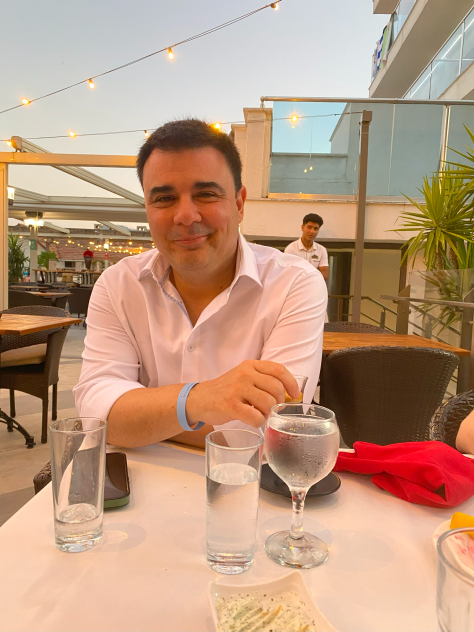
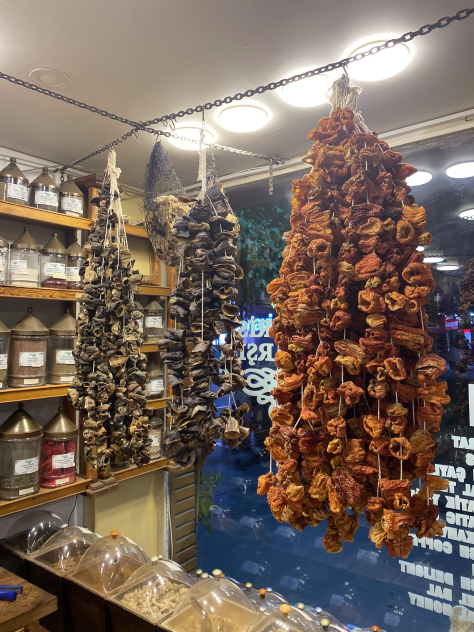
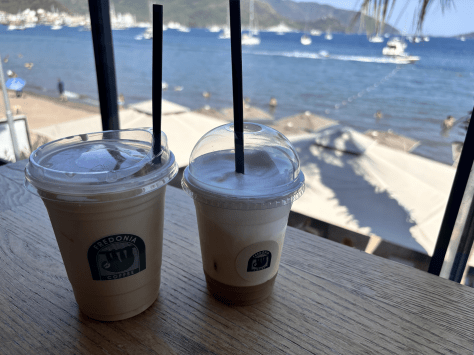
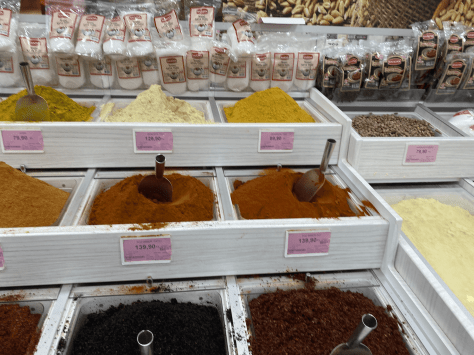
Έτσι και φέτος. Επισκέφθηκα τη Μαρμαρίδα στην Τουρκία και το μπάνιο ήταν κάθε μέρα μπροστα στο ξενοδοχείο. Οι βόλτες ήταν στο τοπικό παζάρι, στην σχετικά μικρή παλιά πόλη και το καστράκι της.
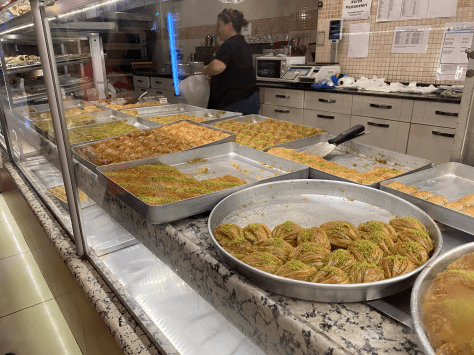
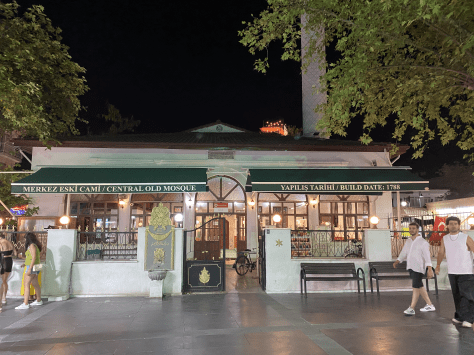
Κάτι όμως που δεν κόστισε καθόλου ήταν να παρατηρώ, διακριτικά, το μέρος και τους ντόπιους. Φυσικά υπήρχαν και τουρίστες, αλλά την τουρκική γλώσσα την ξεχωρίζεις σχετικά εύκολα. Και μια και όσοι μεγαλώσαμε στην Ελλάδα είμαστε φορτωμένοι με ένα σωρό προκαταλήψεις για τους γείτονές μας, είχα ιδιαίτερο ενδιαφέρον να δω τι ισχύει και τι όχι. Παρακάτω λοιπόν παραθέτω σε μορφή λίστας κάποια πράγματα που είδα τις σχεδόν δυο βδομάδες που πέρασα στη Μαρμαρίδα.

Να δώσω όμως πρώτα το, αυτονόητο, disclaimer: αυτά που γράφω είναι η καθαρά προσωπική ματιά ενός τουρίστα, και μάλιστα σε ένα μέρος που κατά κύριο λόγο είναι τουριστικό θέρετρο. Επ’ ουδενί δεν ισχυρίζομαι ότι αντιπροσωπεύουν όλο τον Τουρκικό λαό. Κάποια από αυτά μπορεί να ισχύουν σε όλη τη χώρα, κάποια να ισχύουν αλλά με παραλλαγές ή διαφορετική ένταση, κάποια καθόλου. Επίσης αποφεύγω συνειδητά να κάνω οποιαδήποτε αξιολογική κρίση τύπου καλό, κακό κλπ.

1. Η ένδυση των γυναικών

Ήταν το μόνο πράγμα που είχα στο μυαλό μου να παρατηρήσω πριν καν φτάσω. Οι Ευρωπαίοι έχουμε ακούσει τόσα για την Ισλαμική θρησκεία που ήθελα να δω τι ισχύει στους γείτονες.

Εν είδει μικρής εισαγωγής: τα καλύματα των γυναικών στον αραβικό κόσμο διαφέρουν αναλόγως τη χώρα, το μέρος και το πόσο αυστηρά είναι τα ήθη, πολλές φορές ακόμα και από οικογένεια σε οικογένεια. Τα βασικά είδη (προφανώς υπάρχουν αρκετές παραλλαγές) είναι τα εξής:

καλύματα γυναικών στον αραβικό κόσμο

Χιτζάμπ (Hijab): Καλύπτει τα μαλλιά, τον λαιμό και μερικές φορές τους ώμους, αφήνοντας το πρόσωπο ακάλυπτο. Δεν διαφέρει πολύ από την ελληνική μαντήλα που φόραγαν οι γιαγιάδες μας.

Τσαντόρ (Chador): Καλύπτει όλο το σώμα εκτός από το πρόσωπο.

Νικάμπ (Niqab): Καλύπτει όλο το σώμα και το πρόσωπο αφήνοντας μόνο τα μάτια ορατά.

Μπούρκα (Burqa): Καλύπτει όλο το σώμα και όλο το πρόσωπο, με δίχτυ στο ύψος των ματιών για να βλέπει η γυναίκα. Τίποτα δεν είναι ορατό, ούτε καν τα μάτια.

Αυτό που παρατήρησα είναι ότι περίπου οι μισές ή ίσως και περισσότερες γυναίκες δεν φορούσαν τίποτα από αυτά. Είδα τα ίδια ρούχα που βλέπουμε να φοράνε οι γυναίκες σε όλη την Ευρώπη, σε όλο τα φάσμα από καυτά σόρτς, μίνι και μαγιώ στρινγκ μέχρι τζιν και μακριά φορέματα.

Όσες τώρα φορούσαν κάποιο από τα παραδοσιακά καλύματα, αυτό ήταν κυρίως το πιο “ελαφρύ” Hijab ή Shayla -βασικά ένα μαντήλι στο κεφάλι- ενώ λιγότερες φορούσαν το Chador -πλήρης κάλυψη του σώματος που αφήνει ακάλυπτο το ωοειδές του προσώπου. Δεν είδα πουθενά ούτε Niqab -πλήρης κάλυψη του σώματος που στο πρόσωπο αφήνει ορατά μόνο τα μάτια- ούτε μπούρκα -η οποία δεν αφήνει να φαίνεται τίποτα, ούτε καν τα μάτια. Στην παραλία που και που έβλεπα και μαγιώ -πιο σωστά, στολές κολύμβησης- ολόσωμα, με μακριά μανίκια και παντελόνι.

Αλλά και αρκετές από όσες φορούσαν Chador είχαν ένα twist (δεν ξέρω αν υπάρχει ξεχωριστή ονομασία γι’αυτό): ναι μεν κάλυπτε όλο το σώμα, αλλά δεν ήταν μαύρο. Τις περισσότερες φορές ούτε καν μονόχρωμο.


2. Η αντιμετώπιση όταν λες ότι είσαι Έλληνας

Προφανώς οι περισσότεροι άνθρωποι με τους οποίους ήρθα σε επαφή θέλανε κάτι να μου πουλήσουν. Ρούχα, φαγητό, κοσμήματα κλπ κλπ.

Αλλά παρ’ολ’αυτά, το ενδιαφέρον και η συμπάθεια που έδειχναν όταν ρωτούσαν από που είμαι και τους απαντούσα “Yunanistan, Girit” (“Ελλάδα, Κρήτη”) φαινόταν ειλικρινές. Αρκετοί ρώταγαν πώς μου φαίνεται η Τουρκία, και χαμογέλαγαν όταν τους έλεγα πόσο μου αρέσει το μέρος, το φαγητό και οι άνθρωποι -απάντηση που έδινα με πλήρη ειλικρίνεια.

3. Οι δημόσιοι χώροι

Ζώντας στην Ελβετία, όπου οι δημόσιοι χώροι είναι σχεδόν εμμονικά καλοσυντηρημένοι και καθαροί, τα στάνταρ μου είναι αρκετά ψηλά.

Ε λοιπόν η Μαρμαρίδα στο τουριστικό κομμάτι της σχεδόν τα έπιασε αυτά τα στάνταρ. Ειδικά στα πιο προβεβλημένα μέρη του -βλ. και disclaimer- οι δρόμοι, τα πεζοδρόμια, οι πλατείες κλπ ήταν πεντακάθαρα.

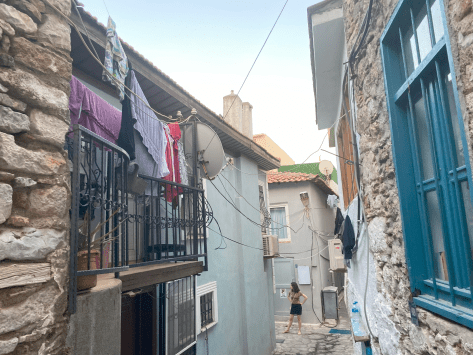
Αν έμπαινες σε σοκάκια έβλεπες βέβαια παλιά σπίτια και σοβάδες που μου θύμιζαν τα κρητικά χωριά των παιδικών μου χρόνων. Όμως ακόμα κι εκεί τα πεζοδρόμια και τα δρομάκια ήταν καθαρά και τα αυτοκίνητα τακτικά παρκαρισμένα -πουθενά δεν είδα μπάχαλο τύπου να παρκάρουν όπου να’ναι.

Η αλήθεια βέβαια είναι ότι μόλις μπήκα 4-5 δρόμους πιο μέσα έμοιαζε σχεδόν άλλος κόσμος, δεν υπήρχαν τα ξενοδοχεία, τα μαγαζιά και η λάμψη του τουριστικού τοπίου. Τα σπίτια αισθητά παλιότερα κλπ, υπήρχε μια αίσθηση φτώχιας. Αλλά ακόμα και εκεί, βρωμιά και μπάχαλο δεν είδα.

Κάτι που με φέρνει στο επόμενο θέμα…

4. Αστυνόμευση

Αυτό είναι ένα ακόμα θέμα στον οποίο οι Ευρωπαίοι έχουμε αρνητικές προκαταλήψεις για την Τουρκία. Ειδικά όποιος έχει δει την ταινία “Το Εξπρές του Μεσονυκτίου” ξέρει τι εννοώ.

Δεν γνωρίζω κατά πόσο η προκατάληψη αυτή είναι δίκαιη ή όχι. Και δεν έτυχε να έχω κάποια επαφή με τις αρχές -πέρα από τους σεκιούριτι του ξενοδοχείου- ώστε να έχω εικόνα.

Αυτό που μπορώ να πω όμως, πάντα λαμβάνοντας υπόψη το disclaimer, είναι ότι είδα πολύ αστυνομία και ακόμα περισσότερη ιδιωτική φύλαξη (σεκιούριτι). Χωρίς υπερβολή, ήταν παντού. Από το αεροδρόμιο της Αλικαρνασού (Bodrum) μέχρι τη Μαρμαρίδα ήταν δυο ώρες δρόμος και είδα 4-5 μπλόκα. Στην ίδια τη Μαρμαρίδα, που είναι μια μικρή πόλη γύρω στους 35 χιλιάδες κατοίκους, σαν το Ρέθυμνο πάνω κάτω, είδα δυο κτήρια της αστυνομίας που μου φάνηκαν κεντρικά, με περίφραξη, οχήματα κλπ. Επίσης τόση ιδιωτική φύλαξη που δεν προλάβαινα να μετρήσω. Μόνο το ξενοδοχείο που έμεινα, που δεν ήταν και τεράστιο, πρέπει να έχει 6-7 σε υπηρεσία ανά πάσα στιγμή.

Τούτου λεχθέντος, ως τουρίστας δεν ένοιωσα κάποια ενόχληση ή παρεμβατικότητα. Τη μοναδική φορά που με σταμάτησε ιδιωτική φύλαξη ήταν όταν δεν φορούσα το βραχιολάκι του ξενοδοχείου σε έναν από τους χώρους που ήταν υποχρεωτικό. Μου είχε φύγει από το χέρι, τους το έδειξα, με ευχαρίστησαν, τέλος.

7. Οι σημαίες

Όσο γύρισα την πόλη, είδα την Τούρκική σημαία παντού. Όχι μόνο στα σημεία που το περιμένεις -όπως στα καράβια, σε δημόσια κτήρια κλπ. Παντού.

Το ίδιο και το πρόσωπο του Κεμάλ Ατατούρκ, ιδρυτή της σύγχρονης Τουρκικής Δημοκρατίας.

Τις πρώτες μέρες μου ήρθαν στο μυαλό παλιές Ελληνικές ταινίες του ’50 και του ’60, που βλέπουμε πορτραίτα του τέως Βασιλιά. Αλλά γρήγορά κατάλαβα ότι πρόκειται για διαφορετικά μεγέθη. Στις παλιές Ελληνικές ταινίες βλέπεις τα πορτραίτα στα δικαστήρια, στα αστυνομικά τμήματα, άντε καμιά φορά σε κανένα καφενείο. Αυτό που είδα στη Μαρμαρίδα ήταν σημαίες, εικόνες και αφίσες με τον Κεμάλ μέχρι και σε περίπτερα, μαγαζιά με ρούχα, παγωτατζίδικα κ.ο.κ. Ακόμα και στο μηχάνημα στο λεωφορείο που βγάζεις εισιτήριο. Κυριολεκτικά όπου γυρίσει το μάτι σου.

Και σε αυτή την περίπτωση βέβαια, μόλις μπήκα πιο μέσα και έφυγα από το τουριστικό κομμάτι, η εικόνα ήταν αρκετά διαφορετική. Και εκεί υπήρχαν σημαίες αλλά πολύ λιγότερες -πάνω κάτω ό,τι θα βλέπαμε στην Ελλάδα σε μια εθνική εορτή.

Πορταίτο του Κεμάλ μέσα σε ένα παγωτατζίδικο
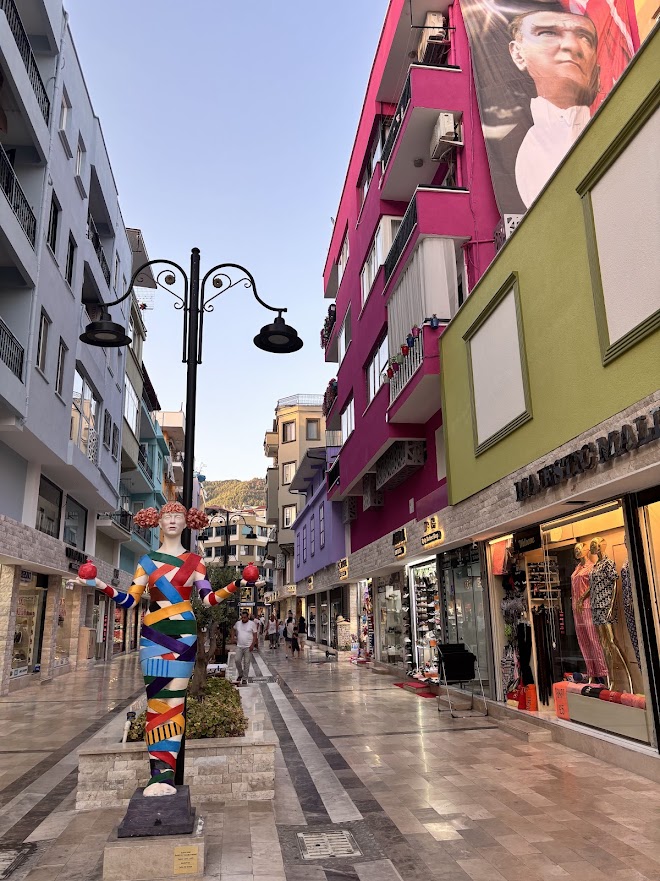
Αφίσα με τον Κεμάλ κρεμασμένη στο πλάι ενός κτηρίου

Η τούρκικη σημαία και αφίσα με τον Κεμάλ κρεμασμένη στο λιμάνι
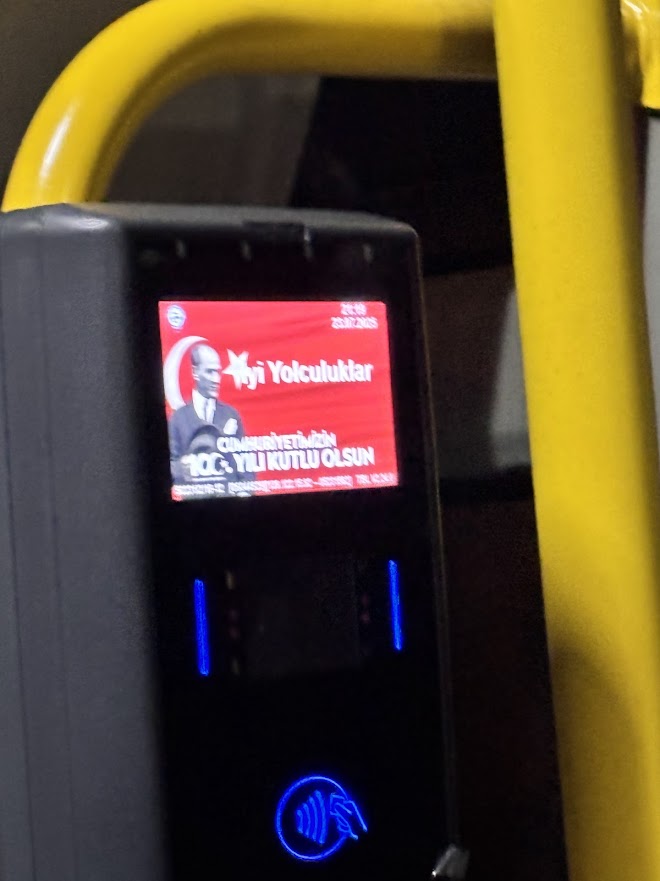
Η τούρκικη σημαία και ο Κεμάλ στην οθόνη του μηχανήματος των εισητηρίων στα λεωφορεία

6. Οι τιμές

Τα τελευταία χρόνια στα -ομολογουμένως όχι πάρα πολλά- ταξίδια μου, παρατηρώ ότι στα τουριστικά μέρη, ανεξαρτήτως χώρας, οι τιμές έχουν την τάση να συγκλίνουν. Ένα φαγητό τύπου φάστ φουντ κοστίζει περίπου 5-10 ευρώ, ένα φαγητό τύπου εστιατορίου 10-25 €, ένας καφές 2-5 €. Θυμάμαι την έκπληξή μου στην Κρήτη πριν κάμποσα χρόνια, 2016 νομίζω, όταν ένα πιάτο τίμια λαϊκά γεμιστά που το θυμόμουν στα 3-4 € το είδα στις ταβέρνες να κοστίζει 8-10 €.

Την εποχή που πήγα (καλοκαίρι 2025), 100 λίρες ήταν περίπου 2 €.

Τέτοιες τιμές είδα και στη Μαρμαρίδα.

Εκεί που βλέπεις διαφορά είναι όταν πας σε μέρη που είναι “για ντόπιους”, δηλ. δεν έχουν ιδιαίτερη έκθεση στον τουρισμό. Για παράδειγμα, απέφυγα να δώσω κάποια ρούχα που είχα για πλύσιμο στο ξενοδοχείο -σε ξενοδοχείο στην Τενερίφη είχα πληρώσει ένα 200άρι, και στη Μαρμαρίδα είχα παρόμοιο όγκο. Προτίμησα ένα τόπικό πλυντήριο σε ένα σοκάκι, όπου χρειάστηκε google translate για να συνεννοηθώ. Αλλά πλήρωσα μόλις 12 € και η παρεχόμενη υπηρεσία ήταν γρήγορη και σε πολύ καλό επίπεδο.

7. Πληρωμή με κάρτα

Ένα πράγμα που μονίμως φοβάμαι στις διακοπές είναι να κρατάω τον κύριο όγκο των χρημάτων που έχω προϋπολογήσει σε μετρητά, μην τύχει και με κλέψουν. Ο φόβος αυτός έχει απαρχή μια φορά σε οικογενειακές διακοπές που έκανα ως έφηβος, στο Μύτικα, που μας είχαν ανοίξει το αμάξι -ευτυχώς ο πατέρας μου δεν είχε αφήσει τα χρήματα στο αυτοκίνητο. Έτσι προτιμώ να χρησιμοποιώ κάρτα για τις συναλλαγές.

Ιδιαίτερα με τραπεζικά προϊόντα τύπου Revolut, όπου μπορείς να έχεις χρήματα σε όποιο νόμισμα θέλεις χωρίς τον μπελά να ανοίξεις νέο λογαριασμό, εκτός από οικονομικά συμφέρουσα αυτή η πρακτική γίνεται και βολική. Αυτό όμως, φυσικά, προϋποθέτει να δεχονται οι ντόπιοι ηλεκτρονικές πληρωμές.

Στην Μαρμαρίδα αυτό ήταν όντως εφικτό. Σε όλες τις διακοπές μου δεν έκανα ούτε μια φορά ανάληψη σε Τουρκικές Λίρες. Μπόρεσα να πληρώσω παντού με κάρτα, με μια εξαίρεση: τα ταξί. Τη μια φορά που χρειάστηκα, ζήτησα και επέμεινα να έρθει κάποιο που να έχει POS. Βρέθηκε, αλλά από ότι μου είπαν δεν υπάρχουν πολλά στην περιοχή.

Αυτά! Ελπίζω να μην βαρέθηκες. Αν έχεις κάποιο σχόλιο ή δικές σου εμπειρίες από την Τουρκία, θα χαρώ να τις δω στα σχόλια 😊

Jim’s fusion coconut gnocchi

The other day(*) I was at a very nice local restaurant and had a delicious Ikan Bumbu, which I understand is a dish that originates from Bali, Indonesia.

Both the fish and the coconut-and-lime sauce stuck with me, I completely loved them. Obviously my cooking skills are nowhere near the level needed to make this, but I did my research and had something in mind.

Today it happened that I was home alone and had a limited time to prepare something to eat. So I got creative and niki ragane(**)! The whole prep took me around 10 minutes.

Ingredients I used (for one person):

  • Gnocchi, ~250 gr
  • Coconut milk, 200 gr (I used Thai Kitchen)
  • Juice from 1/4 lime
  • Wine, ~100 gr (I used White Zinfandel rosé wine, but you can use anything that’s sweet or medium sweet)
  • Sambal oelek, according to how spicy you want it; I used about half a teaspoon
  • Butter, ~50 gr for frying; you can also use olive or sesame oil
  • A pinch of salt
  • A pinch of black pepper
  • A pinch of garlic powder
  • A pinch of ginger powder
  • A pinch of cumin powder
  • Some chopped parsley or coriander; I prefer parsley but TBH coriander is a better match

Procedure:

  • Put the butter in a cold pan and heat it up on medium-high heat (my kitchen goes up to 6, and I used 5) until almost melted.
  • Throw in the gnocchi, stir, pinch the garlic powder over them and fry until their colour turns to golden brown.
  • Pour the wine, stir and wait until the liquid is reduced to around 1/3.
  • Pour the coconut milk, stir and then pour the lime, sambal oelek, salt, pepper, ginger and cumin. Stir gently a few times per minute.
  • When the sauce is reduced turn off the heat, throw in the parsley or coriander, stir a few times and it’s ready to serve.

I know it’s a cliché to say this but it blew my mind. And it’s so easy!

I didn’t take a photo because it didn’t occur to me and I was on a hurry 😊 but next time I definitely will.

Kali orexi!

(*) Valentine’s day
(**) “here you go” in Balinese -at least according to Google Translate

Powershell: scan a file with regex and write the output

So, let’s say you have a biiiiig log file. There’s some info in there, like URLs, that you need them in a list.

Copy-pasting? Hell no, Powershell to the rescue!

#
# Source: DotJim blog (http://dandraka.com)
# Jim Andrakakis, February 2025
#

# Change the regex to fit your purposes
# and of course the input file
$regEx = 'https?://[^\s/$.?#].[^\s]*'
$inputFile = "C:\logs\mybiglog.txt"

$outputFile = [System.IO.Path]::Combine([System.IO.Path]::GetDirectoryName($inputFile), "out_$([guid]::NewGuid().ToString().Split('-')[0]).txt")

$content = Get-Content -Path $inputFile -Raw
$matches = [regex]::Matches($content, $regEx)
$matches | ForEach-Object { $_.Value } | Out-File -FilePath $outputFile

Have fun coding!

Stop CI/CD pipeline if a Powershell script contains errors

Contrary to “normal” languages like C# or Java, Powershell is not a compiled language, but rather an interpreted one. This means that instead of using a compiler, the Powershell Scripting Runtime Environment reads and executes the code line-by-line during runtime.

That has well known advantages -for example, you can change code on the spot- and disadvantages -e.g. performance. But one major disadvantage is that there are no compiler errors. That means that if you forget to close a parenthesis or a bracket, nothing works. It’s the silliest of mistakes but still crashes everything.

With Powershell being used in non-interactive environments, like Azure Functions, it’s becoming all the more important to guard against such errors.

Fortunately, there is a solution for this. Microsoft has published the PSScriptAnalyzer module (link) which includes the Invoke-ScriptAnalyzer (link) command. Running this against your code, you get a list of warnings and errors:

The best things is, you can include this in your CI/CD pipelines, e.g. in Azure Devops or Github.

So here’s an example of an Azure Devops pipeline task that checks for ParseErrors (meaning, the script is not readable) and stops the build in case such an error is found:

#
# Source: DotJim blog (http://dandraka.com)
# Jim Andrakakis, October 2024
#
- task: PowerShell@2
  displayName: Check for Powershell parsing errors
  inputs:
    targetType: 'inline'
    errorActionPreference: 'stop'
    pwsh: true
    script: | 
      Install-Module -Name PSScriptAnalyzer -Scope CurrentUser -Force
      Write-Host 'Performing code analysis using Microsoft Invoke-ScriptAnalyzer'
      $findings = Invoke-ScriptAnalyzer -Path '$(System.DefaultWorkingDirectory)' -Recurse -Severity ParseError,Error
      $findings | Format-List
      if (($findings | Where-Object { $_.Severity -eq 'ParseError' }).Count -gt 0) { Write-Warning "Parse error(s) were found, review analyser results."; exit 1 }   

Enjoy 😊

How to get a backup of your Azure Devops repository including all branches

While Azure Devops is widely used, Microsoft’s backup solutions are surprisingly thin. With people depending on it, individuals and enterprises alike, you’d expect a bit more.

There are various tools around, but here’s my version in the form of a Powershell script. What it does is:

  • Connects to a specific Azure Devops project and repo.
  • Lists all branches, downloads them using git and zips them.
  • The zip, one for every branch, is named Backup_yyyy-MM-dd_branch.zip.

Prerequisites are not much, but:

  • You need git installed and
  • you need a PAT with read access to your code (instructions here).

So here’s the script:

#
# Source: DotJim blog (https://dandraka.com)
# Jim Andrakakis, October 2024
# Updated September 2025, fix for projects and orgs containing spaces
#

# BackupBranches.ps1

param (
    [string]$organization = "MYORG",
    [string]$project = "MYPROJECT",
    [string]$repository = "MYREPO",
    [string]$backupFolder = "C:\Temp\DevOpsBranches",    
	[string]$branchFilter = "" # leave empty for all branches
)

Clear-Host
$ErrorActionPreference='Stop'
 
$pat = Read-Host -MaskInput -Prompt "Enter Personal Access Token for $($env:USERNAME) and $($project)/$($repository)"
$base64AuthInfo = [Convert]::ToBase64String([Text.Encoding]::ASCII.GetBytes(":$pat"))
 
$tempFolder = Join-Path $backupFolder $repository
$repoNoSpace = $repository.Replace(' ','%20')
$projNoSpace = $project.Replace(' ','%20')
 
Write-Host "[$([datetime]::Now.ToString('yyyy-MM-dd HH:mm:ss'))] Starting, output directory is $tempFolder"
 
# Ensure temp folder exists
if (-not (Test-Path -Path $tempFolder)) {
    New-Item -Path $tempFolder -ItemType Directory | Out-Null
}
 
# API URL for branches
$branchesApiUrl = "https://dev.azure.com/$organization/$projNoSpace/_apis/git/repositories/$repoNoSpace/refs?filter=heads/&api-version=6.0"
 
# Get all branches from the repository
$response = Invoke-RestMethod -Uri $branchesApiUrl -Headers @{Authorization=("Basic {0}" -f $base64AuthInfo)}
 
$branchList = $response.value | Sort-Object -Property name
 
# Iterate through each branch
foreach ($branch in $branchList) {
	try {
		$branchName = $branch.name -replace "refs/heads/", ""

		# branch filter, if any
		if (-not ([string]::IsNullOrWhiteSpace($branchFilter)) -and ($branchName -notlike "*$branchFilter*")) {
			continue
		}
	 
		# Define the folder for the branch
		$branchNameStrilized = "$($branchName.Replace('/','_').Replace(' ','_'))"
		$branchFolder = "$tempFolder\$branchNameStrilized"
		 
		# Remove the folder if it exists from previous runs
		if (Test-Path -Path $branchFolder) {
			Remove-Item -Recurse -Force $branchFolder
		}
	 
		# Clone the specific branch
		$gitUrl = "https://dev.azure.com/$organization/$projNoSpace/_git/$repoNoSpace"
		Write-Host "Cloning branch '$branchName' from $gitUrl to $branchFolder"
		$gitResp = [string] (& git clone --branch $branchName --single-branch $gitUrl $branchFolder 2>&1)
		if ($gitResp -like "*fatal*") {
			Write-Error "Error cloning branch '$branchName': $gitResp"
		}
	 
		# Zip the branch folder
		$backupDate = [datetime]::Now.ToString('yyyy-MM-dd')
		$zipFilePath = "$tempFolder\Backup_$($backupDate)_$($branchNameStrilized).zip"
		if (Test-Path $zipFilePath) {
			Remove-Item $zipFilePath
		}
		Compress-Archive -CompressionLevel Fastest -Path "$branchFolder\*" -DestinationPath $zipFilePath
	 
		Write-Host "Branch '$branchName' zipped to $zipFilePath"
	 
		# Clean up branch folder after zipping
		Remove-Item -Recurse -Force $branchFolder
	}
	catch {
		Write-Warning $_
	}
}
 
Write-Host "[$([datetime]::Now.ToString('yyyy-MM-dd HH:mm:ss'))] Finished, $($response.value.Count) branches processed."

Usage example:

BackupBranches.ps1 -organization 'BIGBANK' -project 'KYCAML' -repository 'KYCAMLapiV2' -backupFolder '\\backupfileserver\codebackups\'

First version of FuzzySubstringSearch library

I just published the first version of my open source C# library named Dandraka.FuzzySubstringSearch in Github and Nuget.org.

FuzzySubstringSearch is intended to cover the following need: you need to know if a string (let’s call it Target) contains another string (let’s call it Searched). Obviously you can do this using String.Contains(). But if you need to account for spelling errors, this doesn’t work.

In this case, you need what is usually called “fuzzy” search. This concept goes like this: matching is not a yes or no question but a range.
– If the Target contains the Searched, correctly, we’re at one end of the range (say, 100%).
– If Target contains no part of Searched we’re at the other end (0%).
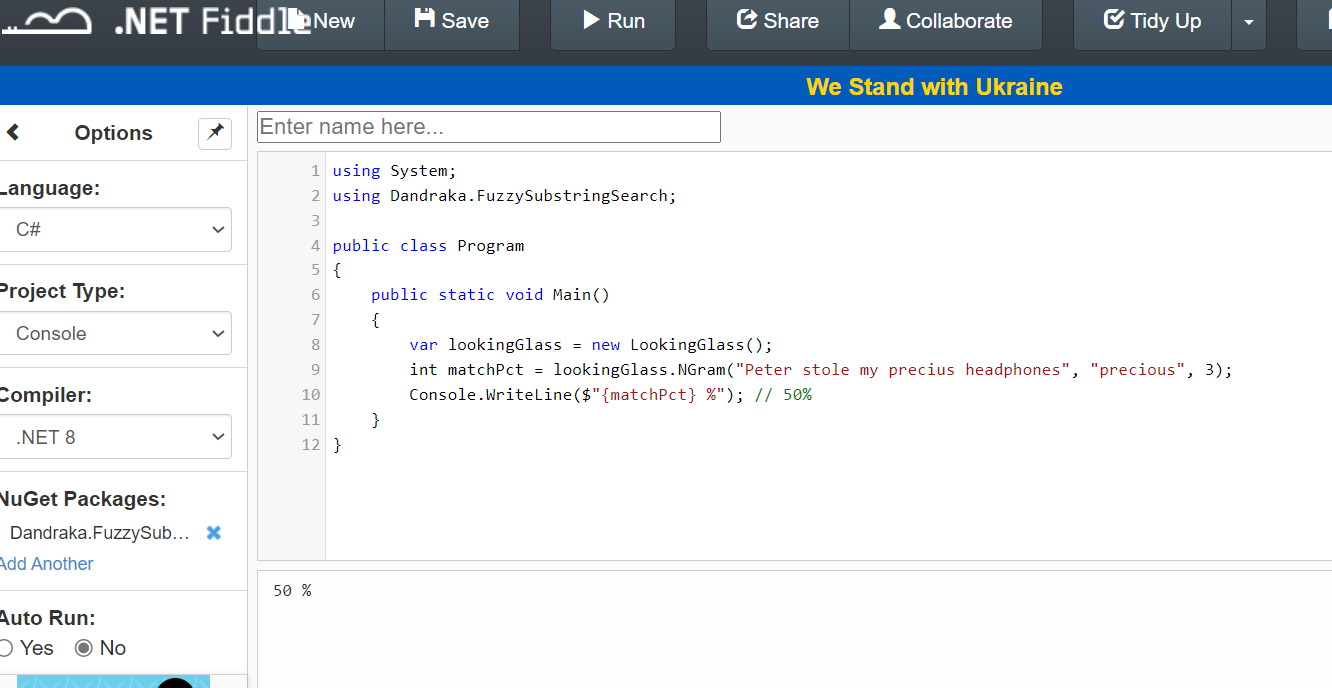
– And then we have cases somewhere in the middle. Like if you search inside “Peter stole my precius headphones” for the word “precious”. That should be more than 0 but less than 100, right?

Under this concept, we need a way to calculate this “matching percentage”. Obviously this is not new problem. It’s a problem Computer Science has faced since decades. And there are different algorithms for this, like the Levenshtein distance, Damerau–Levenshtein distance, the Jaccard index and others.

But the problem is, these algorithms compare similar strings. They don’t expect that the Target is much larger than Searched.

Enter N-grams. N-grams are, simply put, pieces of the strings (both Target and Searched). N refers to the size of the pieces: 2-grams means the pieces are always 2 characters, 3-grams means 3 characters etc. You break Target and Searched into pieces (the N-grams), check how many are matching and divide by how many pieces Searched has.

Let’s do an example: we’re searching inside “Peter stole my precius headphones” for “precious”.

Here’s how it goes. Let’s use 3-grams. Target has the following 3-grams:

PetPeter stole my precius headphones
etePeter stole my precius headphones
terPeter stole my precius headphones
er(space)Peter stole my precius headphones
r(space)sPeter stole my precius headphones
(space)stPeter stole my precius headphones
(etc etc)(etc etc)
prePeter stole my precius headphones
recPeter stole my precius headphones
eciPeter stole my precius headphones
ciuPeter stole my precius headphones
iusPeter stole my precius headphones
(etc etc)(etc etc)

And Searched has the following 6:

preprecious
recprecious
eciprecious
cioprecious
iouprecious
ousprecious

How many of the Searched 3-grams can you find in Target? The following 3: pre, rec, eci. So the percentage is 3 found / 6 total = 50%. And if you use 2-grams instead of 3-grams, the percentage increases to 71% since more 2-grams are matching. But, importantly, you “pay” this with more CPU time.

That’s exactly what the library calculates.

You can find a C# usage example in the Readme file and detailed developer’s documentation in the docs folder.

Enjoy 😊

Powershell: How to store secrets the right way

There are secrets that can be deadly.

Here we’re not going to talk about this kind 😊 But that doesn’t mean it’s not important.

It happens quite often that a script you need to run needs access to a resource, and for this you need to provide a secret. It might be a password, a token, whatever.

The easy way is obviously to have them in the script as variables. Is that a good solution?

If you did not answer NO THAT’S HORRIBLE… please change your answer until you do.

Ok so you don’t want to leave it lying around in a script. You can ask at runtime, like this:

$token = Read-Host -Prompt "Please enter the connection token:" -AsSecureString

That’s definitely not as bad. But the follow up problem is, the user needs to type (or, most probably, copy-paste) the secret every time they run the script. Where do the users store their secrets? Are you nudging them to store it in a notepad file for convenience?

In order to keep our systems safe, we need a way that is both secure and convenient.

That’s why using the Windows Credential Manager is a much, much better way. The users only have to recover the secret once, and then they have it stored in a safe way.

Here’s an example of how you can save the secret in Windows Credential manager. It uses the CredentialManager module.

# === DO NOT SAVE THIS SCRIPT ===

# How to save a secret

# PREREQUISITE: 
# Install-Module CredentialManager -Scope CurrentUser

$secretName = 'myAzureServiceBusToken' # or whatever

New-StoredCredential -Target $secretName -Username 'myusername' -Pass 'mysecret' -Persist LocalMachine

And here’s how you can recover and use it:

# How to use the secret

# PREREQUISITE: 
# Install-Module CredentialManager -Scope CurrentUser

$secretName = 'myAzureServiceBusToken' # or whatever

$cred=Get-StoredCredential -Target $secretName
$userName = $cred.UserName
$secret = $cred.GetNetworkCredential().Password

# do whatever you need with the secret

Just for completeness, here’s an example of how to call a REST API with this secret. I imagine that’s one of the most common use cases.

#
# Source: DotJim blog (https://dandraka.com)
# Jim Andrakakis, April 2024
#

# PREREQUISITES: 
# 1. Install-Module CredentialManager -Scope CurrentUser
# 2. New-StoredCredential -Target 'myRESTAPICredential' -Username 'myusername' -Pass 'mysecret' -Persist LocalMachine

# === Constants ===
$uri = 'https://myhost/myapi'
$credName = 'myRESTAPICredential'
$fileName = 'C:\somepath\data.json'
# === Constants ===

$cred=Get-StoredCredential -Target $credName
$pair="$($cred.UserName):$($cred.GetNetworkCredential().Password)"
$encodedCreds = [System.Convert]::ToBase64String([System.Text.Encoding]::ASCII.GetBytes($pair))
$basicAuthValue = "Basic $encodedCreds"

$headers = @{
    Authorization = $basicAuthValue;
    ContentType = 'application/json';
    Accept = 'application/json'
}

try {
    $resp = Invoke-WebRequest -UseBasicParsing -Uri $uri -Headers $headers -Method Post -InFile $fileName
}
catch {
    $errorMsg = "Error sending file '$fileName', exception in line $($_.InvocationInfo.ScriptLineNumber): $_.Exception.Message $_"
    Write-Warning $errorMsg     
}

My problem with history debates online

If you’re in any social medium, I’m sure you’ve come upon one. Would USSR have lost WW2 if not for US’s lend-lease program? Did Mao really kill 50 million people? Were Native Americans peaceful land-loving bison hunters? Were the Turks genocidal? Were the Greeks? Were the Spanish?

Here I’m not going to try and give an answer to these, and many other, questions that I encounter online. Rather, I need to express my deep distaste for the majority of them.

You see, when one does start such a debate online, usually in the context of a social medium, it’s not exactly the case that an impartial scholar wants to discuss historical facts (exceptions do exist; albeit, sadly, few and far between).

No, what happens in the vast majority of cases is that one is trying to express their current preferences, be it ideological, political, social, economic, whatever. And they’re using history as a vehicle.

You can see it everywhere. A debate starts whether “USSR beat Nazi Germany”, which, although wrongly stated in such an absolute way, has undoubtedly some basis in fact. But hidden behind it, not far away, is the projection to modern-day Russia and an attempt to excuse genocidal crimes.

Or take another debate, beloved in US twitter, that somehow the main reason South fought the Civil War was not defending their right to own slaves. Thinly veiled behind it is the american political divide between Republicans and Democrats, usually referred to as “red-blue” divide.

And there lies my deep dislike for such discussions, pleasant exceptions notwithstanding. Far from being truth-seeking, fact-based discourse, they’re disingenuous attempts to impose one’s beliefs unto others.

Or, of course, straight up state propaganda.

Powershell: Get Active Directory group members (without the need to install the ActiveDirectory module)

Powershell offers a number of Active Directory (AD for short) commandlets to make an AD admin’s life a little easier. For example, if you need to get a list of members from an AD group, you can use something like:

Get-ADGroupMember -Identity 'Enterprise Admins' -Recursive

The problem is that this doesn’t work everywhere. The ActiveDirectory module is not a “normal” one you can install with Install-Module; instead, you need to install a Windows feature, either from Control Panel or by using the Add-WindowsCapability commandlet.

But you don’t have to use this module. You can use something that’s available everywhere, the adsiSearcher type accelerator.

So here are a couple of scripts I came up with (credits where they’re due). The first searches through all groups, finds all the ones that match a string and lists all their members.

#
# Source: DotJim blog (https://dandraka.com)
# Jim Andrakakis, January 2024
#
  
# ===== Parameters =====
  
param(
    [string]$searchString = 'accounting'
)
  
# ======================

Clear-Host
$ErrorActionPreference='Stop'

# === Get all groups ===
$objSearcher=[adsisearcher]'(&(objectCategory=group))'
$objSearcher.PageSize = 20000 # may need to adjust, though should be enough for most cases

# specify properties to include
$colProplist = "name"
foreach ($i in $colPropList) { $objSearcher.PropertiesToLoad.Add($i) | out-null } 
	
$colResults = $objSearcher.FindAll()

foreach ($objResult in $colResults)
{
    #group name
    $group = $objResult
    $groupname = ($objResult.Properties).name    

    if (-not ($groupname[0].ToLower().Contains($searchString.ToLower()))) {
        continue
    }

    Write-Host "Members of $groupname [$($group.Path)]"    

    $Group = [ADSI]$group.Path
    $Group.Member | ForEach-Object {
        $Searcher = [adsisearcher]"(distinguishedname=$_)"
        $member = $searcher.FindOne()
        $userName = $member.Properties.samaccountname
        $name = $member.Properties.displayname

        Write-Host "`t[$userName]`t$name"
    }
}

The second displays all details of all users whose name matches a substring.

#
# Source: DotJim blog (https://dandraka.com)
# Jim Andrakakis, January 2024
#
   
# ===== Parameters =====
   
param(
    [string]$searchString = 'Papadomanolakis'
)
   
# ======================
 
Clear-Host
$ErrorActionPreference='Stop'
 
# === Get all groups ===
$objSearcher=[adsisearcher]"(&(objectClass=user)(displayname=*$($searchString)*))"
$objSearcher.PageSize = 20000 # may need to adjust, though should be enough for most cases
#$objSearcher.FindOne().Properties.Keys
$objSearcher.FindAll() | % { $_.Properties }

And the third one is a brilliant one-liner by Jos Lieben that lists all groups of a user.

$userName = $env:USERNAME # change if different user needed
([ADSISEARCHER]"(member:1.2.840.113556.1.4.1941:=$(([ADSISEARCHER]"samaccountname=$userName").FindOne().Properties.distinguishedname))").FindAll().Properties.distinguishedname -replace '^CN=([^,]+).+$','$1'

Hope that helps. Enjoy! 😊

Software, Greece, Switzerland. And coffee. LOTS of coffee !